| MAIN | SHOP | VIDEO |
ОПИСАНИЕ НА РУССКОМ НИЖЕ!!!
Attention!!!
If you are unable to make a purchase, check your email. There will be a message with links to alternative stores where you can complete your purchase.
The "No recoil" macro for Razer mice in Battlefield 2042 removes most of the vertical recoil for the M5A3 with firing rates of 590, 750, 910 rounds per minute, significantly improving accuracy and thereby increasing the effective range against opponents. Your mouse should be supported by the Synapse 3 software.
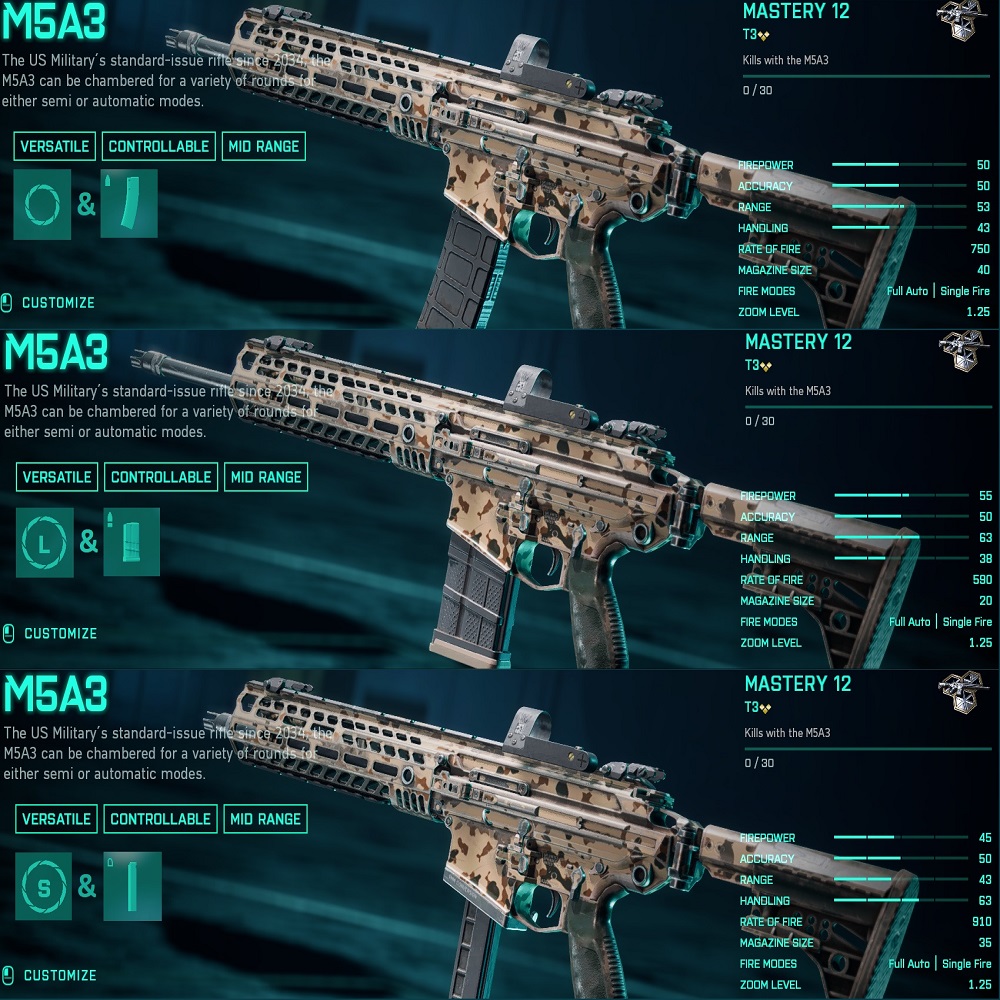
The macros were written for the mouse sensitivity settings in the game - 10.0, for standard: magazine and cartridge, sights 1.25x and 2.5x.
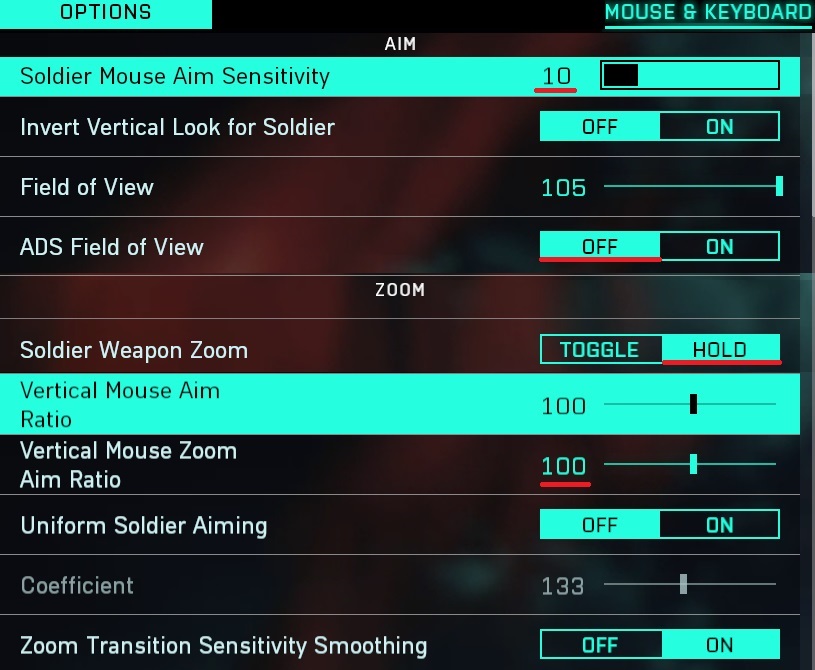 Attention!!! There is a possibility that for technical reasons ("Input Lag" - affecting the operation of macros), or if you have vertical synchronization turned off in the game, or when modifying weapons, if the sight pulls down during shooting, then reduce the values in the mouse sensitivity settings in the game, if up, then increase.
If the mouse sensitivity settings in the game are too large for you, or too small, then you can change the dpi of your mouse, this will not affect the operation of macro.
Attention!!! Due to the peculiarities of the software code in macros for Razer, there are delays when shooting.
________________________________________
Макрос - No recoil для мышек Razer в игре Battlefield 2042 убирает вертикальную отдачу у M5A3 с скорострельностью: 590, 750, 910 выстрелов в минуту, почти полностью. То есть повышает кучность и тем самым увеличивают дальность поражения противника. Ваша мышка должна поддерживаться программой - Synapse 3.
Макросы был написаны под настройки чувствительности мыши в игре – 10 под прицелы 1.25х и 2.5х.
Внимание!!! Есть вероятность, что по техническим причинам (“Input Lag” – влияющий на работу макросов), или если у вас выключена вертикальная синхронизация в игре, или при модифицировании оружия, если прицел во время стрельбы тянет вниз, то уменьшаете значения в настройках чувствительности мыши в игре, если вверх, то увеличиваете.
Если настройки чувствительности мыши в игре слишком большие для вас, или слишком маленькие, то вы можете изменить dpi своей мыши, на работу макроса это не повлияет.
Внимание!!! Из-за особенности программного кода в макросах для razer, при стрельбе есть задержки.